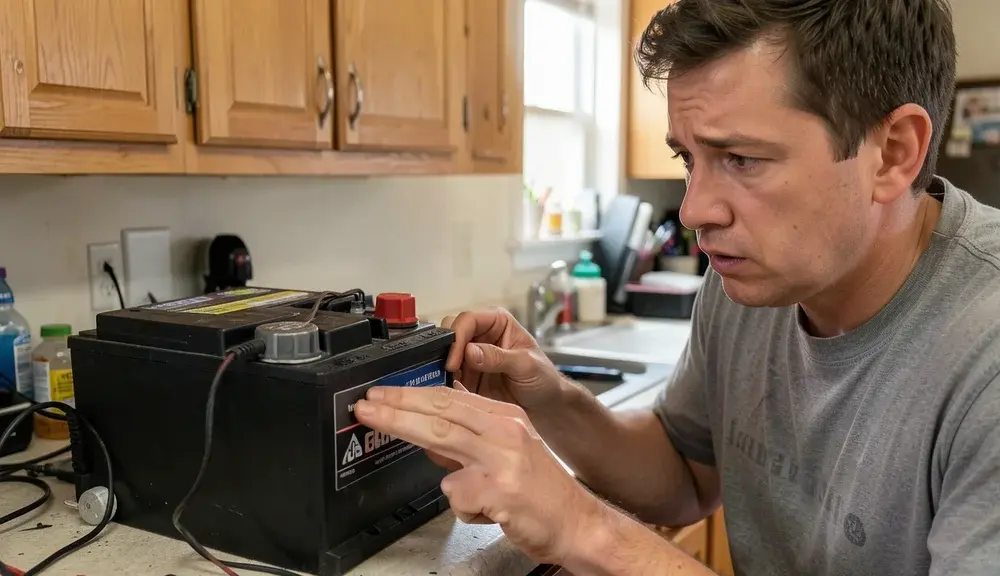
If your 2005 Ford F-150 battery problems are leaving you stranded or causing frustrating electrical issues, you’re not alone. Many owners of this popular truck have encountered similar challenges, ranging from a dead battery on startup to intermittent electrical gremlins. These issues can stem from a variety of sources, including the battery itself, the charging system, or even parasitic draws that drain power when the truck is off.
Understanding the common culprits behind these battery problems is the first step toward getting your F-150 back to reliable operation. This guide will walk you through the most frequent causes and effective solutions to help you diagnose and fix your 2005 Ford F-150’s battery woes.
The most common 2005 Ford F-150 battery problems involve a weak or dead battery, charging system faults, and parasitic drains. Addressing these typically requires checking the battery’s age and condition, testing the alternator and voltage regulator, and investigating any excessive current draw when the vehicle is off. Often, replacing an old battery or fixing a faulty charging component resolves the issue.
1. Aging Battery Reaching the End of Its Life
Batteries, like all consumable parts, have a finite lifespan. For a 2005 Ford F-150, a battery that’s several years old is a prime suspect for battery problems. Over time, the chemical reactions within a battery degrade, reducing its ability to hold a charge and deliver sufficient cranking amps.
Extreme temperatures, both hot and cold, can accelerate this degradation process. A battery that’s failing may show symptoms like slow cranking, dim headlights when the engine is off, or a complete inability to start the truck, especially in colder weather.
The average lifespan of a car battery is typically between three to five years, though this can vary significantly based on climate, driving habits, and battery quality. If your 2005 F-150’s battery is approaching or has passed this age range, it’s wise to consider replacement proactively, even if you haven’t experienced a complete failure yet. Regular testing can help predict when a battery is likely to fail.
- Symptoms: Slow engine cranking, dim interior lights, clicking sound when trying to start, battery warning light on the dashboard, failure to start in cold weather.
- Causes: Natural degradation of internal components, sulfation buildup on plates, damage from overcharging or undercharging, physical damage.
- Lifespan: Typically 3-5 years, but can be shorter in extreme climates or with heavy electrical accessory use.
- Testing: Most auto parts stores offer free battery testing. This typically involves measuring voltage and cranking amperage.
- Prevention: Ensure battery terminals are clean and free of corrosion. Avoid leaving accessories on for extended periods with the engine off.
Checking Battery Health and Age
The easiest way to determine if your battery is old is to look for a date code sticker on its casing. This code usually consists of a letter (representing the month) and a number (representing the year). For example, ‘C2’ might mean March 2022.
If you can’t find a date code, or if it’s illegible, a professional battery test is your best bet. Many automotive service centers and auto parts stores can perform this test quickly and accurately.
During a battery test, technicians will measure the battery’s voltage and its Cold Cranking Amps (CCA). CCA is a crucial rating that indicates how much power the battery can deliver to start the engine in cold temperatures. If the CCA is significantly lower than the manufacturer’s specification for your 2005 F-150, it’s a strong indicator that the battery is failing and needs replacement.
| Battery Age |
Likelihood of Failure |
Recommended Action |
| 0-2 Years |
Low |
Monitor regularly |
| 2-4 Years |
Moderate |
Test annually, consider replacement soon |
| 4+ Years |
High |
Test immediately, replace if showing signs of weakness |
This table provides a general guideline for assessing battery age and its potential impact on your 2005 Ford F-150.
Warning: Never attempt to jump-start a vehicle with a visibly damaged or frozen battery, as this can cause an explosion. Always follow proper jump-starting procedures.
2. Faulty Alternator Not Recharging the Battery
The alternator is the workhorse of your truck’s electrical system. Its primary job is to generate electricity to power the vehicle’s systems while the engine is running and, crucially, to recharge the battery. If the alternator isn’t functioning correctly, the battery won’t receive the necessary charge, leading to it gradually draining and eventually causing battery problems.
This can manifest as the battery warning light illuminating on your dashboard, often in the shape of a battery symbol.
Several components within the alternator can fail, including the voltage regulator, brushes, or the stator. A failing voltage regulator is particularly common, as it controls the output voltage of the alternator. If it fails, the alternator might overcharge or undercharge the battery, both of which are detrimental.
Overcharging can damage the battery, while undercharging leads to a depleted battery.
- Symptoms: Battery warning light on the dashboard, dimming headlights or interior lights, whining noise from the engine bay, electrical accessories (radio, power windows) malfunctioning, battery dying repeatedly.
- Causes: Worn-out brushes, faulty voltage regulator, internal short circuits, loose or corroded wiring connections, bearing failure.
- Testing: A mechanic can test the alternator’s output voltage and amperage using a multimeter or a dedicated alternator tester. This should be done with the engine running.
- Diagnosis: If the battery is fully charged but the alternator isn’t producing sufficient voltage (typically around 13.5-14.5 volts at idle), the alternator is likely the issue.
- Importance: A properly functioning alternator is essential for maintaining battery health and powering all vehicle electronics.
Understanding Alternator Output
When your 2005 Ford F-150’s engine is running, the alternator should be producing a stable voltage, generally between 13.5 and 14.5 volts. This voltage is what recharges the battery and powers all the vehicle’s electrical components. If you test the voltage with a multimeter and find it consistently below this range, or if it fluctuates wildly, it indicates an alternator problem.
Sometimes, the voltage might seem okay at idle but drop significantly when electrical loads are increased (like turning on the headlights, A/C, and stereo simultaneously).
A common cause of alternator failure is a worn-out voltage regulator. This component ensures the alternator doesn’t overcharge the battery, which can cause it to overheat and potentially fail. If the voltage regulator fails in an undercharging state, the battery will never reach a full charge and will eventually die.
Conversely, if it fails in an overcharging state, it can rapidly damage the battery and other sensitive electronics.
Important: If your battery warning light is on, it’s crucial to have the charging system checked promptly. Driving with a failing alternator can leave you stranded and potentially damage other electrical components.
3. Parasitic Drain Draining the Battery Overnight
A parasitic draw refers to any electrical component in your 2005 Ford F-150 that continues to consume power even when the vehicle is turned off and all accessories are supposedly off. While some minimal draw is normal (e.g., for the clock or anti-theft system), an excessive parasitic draw can drain the battery completely overnight. This is often one of the more challenging battery problems to diagnose because it doesn’t always present obvious symptoms until the battery is dead.
Identifying a parasitic draw involves a systematic process of testing current draw with a multimeter. This typically involves disconnecting the negative battery terminal and placing the multimeter in series to measure the amperage flowing out of the battery. The vehicle’s service manual will provide the acceptable parasitic draw specification.
If the measured draw exceeds this specification, you then need to systematically pull fuses and relays to identify which circuit is responsible for the excessive drain.
- Symptoms: Battery dies overnight or after a short period of inactivity, truck won’t start after sitting for a day or two, frequent need to jump-start.
- Causes: Faulty or stuck relays, malfunctioning modules (e.g., radio, BCM – Body Control Module), aftermarket accessories drawing power improperly, faulty door lock actuators, interior lights not turning off.
- Diagnosis: Requires a multimeter set to measure DC amps. Disconnect the negative battery cable and connect the multimeter between the cable and the battery post.
- Testing: Measure the current draw with the vehicle off and all doors closed. Compare to the manufacturer’s specification (often under 50mA).
- Troubleshooting: Systematically pull fuses one by one. When the amperage draw drops to the acceptable level, you’ve found the faulty circuit.
Common Culprits for Parasitic Draws
Several components are common culprits for parasitic draws in vehicles like the 2005 Ford F-150. One frequent offender is the radio or infotainment system; if its memory or internal components are faulty, it can draw power continuously. Aftermarket alarm systems or remote start systems, if not installed correctly, can also cause significant draws.
Even a simple interior light that fails to turn off completely when a door is closed can, over time, deplete a battery.
Other less obvious causes include malfunctioning door lock actuators, faulty climate control modules, or even issues with the anti-theft system. Sometimes, a bad relay can get stuck in a “closed” position, keeping a circuit powered even when it shouldn’t be. The diagnostic process involves patience and a methodical approach, checking each fuse and relay until the offending circuit is isolated.
Once identified, the faulty component or wiring issue can be repaired or replaced.
Warning: When performing parasitic draw tests, ensure all doors are closed and locked, and that interior lights are off. Some modules may not go into sleep mode if a door is open, leading to false high readings. You may need to use a small magnet or tape to trick door jamb switches into thinking the doors are closed.
4. Corroded or Loose Battery Terminals
Even with a healthy battery and a functioning charging system, poor connections can severely impede electrical flow, leading to battery problems. Corroded or loose battery terminals are a common, yet often overlooked, cause of starting issues and intermittent electrical problems. Corrosion, typically a white or bluish powdery substance, forms on the battery posts and cable clamps.
This buildup acts as an insulator, preventing efficient transfer of electrical current.
Loose terminals are equally problematic. Vibrations from driving can cause cable clamps to loosen over time. A loose connection can lead to intermittent power loss, causing the engine to stall, or preventing the starter from receiving enough power to crank the engine.
It’s a simple fix, but its impact on the vehicle’s electrical system is profound. Regular inspection and cleaning of battery terminals are essential maintenance steps.
- Symptoms: Slow cranking, intermittent power loss, clicking sound when starting, dim lights, difficulty starting the engine, battery warning light potentially flickering.
- Causes: Chemical reaction between battery acid and metal, moisture, environmental factors, vibration causing clamps to loosen.
- Diagnosis: Visual inspection of battery terminals for white/blue powdery buildup or loose clamps. Wiggling the cable clamps to check for movement.
- Cleaning: Use a wire brush and a mixture of baking soda and water to clean terminals. Ensure connections are tight after cleaning.
- Prevention: Apply dielectric grease or terminal protector spray after cleaning to prevent future corrosion.
Cleaning and Securing Battery Terminals
Cleaning battery terminals is a straightforward DIY task. First, ensure the engine is off and the ignition key is removed. Using a pair of pliers or a wrench, loosen the nut on the negative (black) terminal clamp and remove the cable.
Repeat this for the positive (red) terminal clamp. Be careful not to let the tools touch any metal parts of the vehicle while working on the positive terminal. Once the cables are removed, you can clean the terminals and the inside of the clamps with a wire brush and a solution of baking soda and water.
A dedicated battery terminal cleaning tool can make this process easier. Rinse with clean water and dry thoroughly.
After cleaning, reattach the positive cable clamp first, tightening the nut securely. Then, reattach the negative cable clamp and tighten it. A small amount of dielectric grease or a specialized battery terminal protector can be applied to the posts and clamps to prevent future corrosion.
This helps maintain a clean, conductive surface for optimal electrical flow. If the battery cables themselves are frayed or damaged, they should be replaced entirely.
Tip: When cleaning battery terminals, always disconnect the negative terminal first and reconnect it last. This order helps prevent accidental short circuits.
5. Issues with the Starter Motor
While not directly a battery problem, a failing starter motor can mimic battery issues, leading to confusion. The starter motor is a powerful electric motor that engages with the engine’s flywheel to crank the engine and get it running. If the starter motor is weak, damaged, or its solenoid is failing, it might not have enough power to turn the engine over, even if the battery is fully charged and capable of powering other accessories.
Symptoms of a failing starter motor often include a single loud click when you turn the key, or a grinding noise, rather than the usual cranking sound. Sometimes, the starter might engage intermittently. While a weak battery can contribute to starter problems by not providing enough power, a healthy battery connected to a bad starter will still result in a no-start condition.
It’s important to differentiate between a battery issue and a starter issue.
- Symptoms: A single loud click when turning the key, grinding noise, rapid clicking (though this can also be a weak battery), no crank at all, sometimes a burning smell from the starter area.
- Causes: Worn starter motor windings, damaged gears, faulty solenoid, poor electrical connection to the starter.
- Diagnosis: A mechanic can test the starter motor’s draw and function. Checking for voltage at the starter solenoid when the key is turned can help diagnose issues.
- Distinction: If headlights and radio work fine but the engine won’t crank, suspect the starter or its connections rather than the battery itself.
- Replacement: Starter motors are typically replaced as a complete unit.
Differentiating Starter vs. Battery Symptoms
The key to distinguishing between a battery problem and a starter problem lies in observing what happens when you try to start the engine. If you turn the key and hear nothing, or just a single loud click, and your headlights and radio are still bright and functional, the battery is likely fine, and the issue points towards the starter motor or its solenoid. If you turn the key and hear a rapid clicking sound, and the headlights dim significantly, this often indicates a weak battery or a poor connection that can’t supply enough power to both the starter and the ignition system.
Another test involves checking the voltage at the battery terminals while someone attempts to start the engine. If the voltage remains stable (above 10 volts) but the engine doesn’t crank, the starter is the more probable cause. If the voltage drops significantly (below 9 volts), it suggests the battery is unable to supply the required current, pointing back to the battery itself or a major draw.
It’s also worth noting that a bad ground connection from the engine to the chassis can also mimic starter issues.
| Symptom |
Likely Cause: Battery |
Likely Cause: Starter |
| No cranking, single loud click |
Less likely (if lights bright) |
Likely |
| Rapid clicking, dimming lights |
Likely (weak battery) |
Less likely |
| Grinding noise on crank |
Unlikely |
Likely |
| Engine cranks slowly, then dies |
Likely |
Possible (if battery is very weak) |
This comparison table helps in quickly identifying whether your 2005 F-150’s starting issue is more likely related to the battery or the starter motor.
Frequently Asked Questions
How long should a 2005 Ford F-150 battery last?
A typical car battery, including one for a 2005 Ford F-150, should last between 3 to 5 years under normal operating conditions. Factors like climate, driving habits, and the quality of the battery can influence its actual lifespan. It’s recommended to have your battery tested annually, especially as it approaches the three-year mark.
What is the correct battery size for a 2005 Ford F-150?
The 2005 Ford F-150 typically uses a Group Size 65 battery. However, it’s always best to confirm the exact group size and Cold Cranking Amps (CCA) required for your specific engine and trim level by consulting your owner’s manual or checking with an auto parts store.
Can I fix a dead battery on my 2005 F-150 myself?
You can often diagnose and fix common battery problems yourself. This includes testing the battery, cleaning terminals, and even replacing the battery if it’s old or faulty. However, diagnosing charging system issues (alternator) or parasitic draws may require specialized tools and knowledge, making a professional mechanic the better choice for those complex problems.
What does the battery warning light mean on my 2005 F-150?
The battery warning light, often an icon resembling a battery, indicates a problem with the vehicle’s charging system. This could mean the alternator is not charging the battery properly, there’s a fault in the voltage regulator, or a loose connection in the charging circuit. It’s a sign that your battery is not being recharged and will eventually die.
Should I replace my battery if it died once?
Not necessarily. A battery can die for various reasons, such as leaving lights on, a parasitic draw, or a temporary issue with the charging system. If the battery is relatively new and otherwise healthy, it might recover after being fully recharged.
However, if the battery is older, or if it dies repeatedly, it’s a strong indication that it needs to be replaced.
Final Thoughts
Addressing 2005 Ford F-150 battery problems requires a systematic approach, starting with the most common culprits like an aging battery, a faulty alternator, or parasitic draws. By understanding these issues and performing regular checks, you can keep your truck running reliably. Don’t hesitate to seek professional help if you’re unsure about diagnosing complex electrical problems.